
Verified cold clone
Copy an Off VM with an unbuffered copy engine, verify the copy, register it with a new identity. Failures roll back cleanly.
Hyper-V operations suite for Windows
XeroGent clones, renames, archives, moves and securely retires virtual machines with verified, observable jobs — and keeps itself up to date with signed releases.
The platform
Built for administrators who need operations to be fast, provable and reversible. Each job shows its phases, throughput and integrity checks live, and leaves a report behind.
Copy an Off VM with an unbuffered copy engine, verify the copy, register it with a new identity. Failures roll back cleanly.
Rename the VM together with its folder, disk files and configuration in one step — verified, with an undo script written for you.
Remove from Hyper-V, delete the files, or erase them with one verified random pass or three passes. Files shared with other VMs are never touched; a sealed report records it.
Pack an Off VM into one standard, verified ZIP64 file using parallel Deflate on every core, with optional disk compaction — typically about half the size.
Write-through, paced and resumable copies that survive the drive being unplugged, with FAT32 detection, fake-capacity check and safe eject.
Bring a VM back from an archive or USB copy with a new ID, ready to start on any XeroGent host.
Counterfeit detection, surface scan, benchmark, verified secure erase and formatting — including FAT32 of any size — with a live block map.
Job results, unexpected VM stops, low disk space, host overload and licence events on your phone, with a durable queue, throttling and quiet hours.
Choose the Mission Control HUD or the Atlas enterprise theme, and the motion level, for every licensed desktop from one admin panel.
Product tour
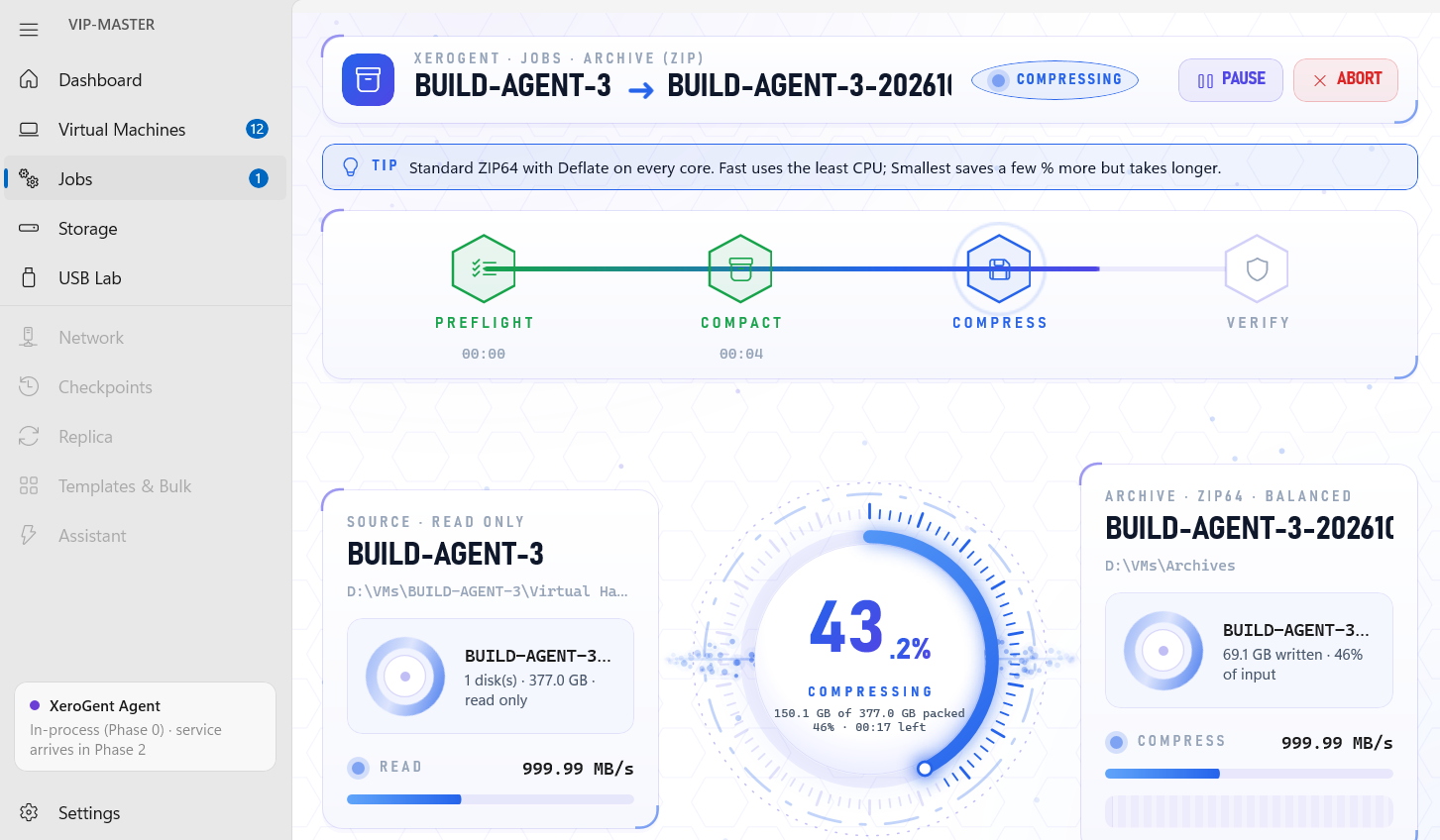
Every clone, archive, USB copy and secure delete streams through one screen: pipeline steps, a live gauge, read and write throughput, integrity checks and a full mission log. Pause or abort at any point.
Security & trust
XeroGent treats every operation as something you may need to justify later — to an auditor, a customer or yourself.
Get the latest buildLicences, update manifests and appearance policies are signed with ES256. The app accepts them only from your platform's key.
Packages are checked against the signed manifest's SHA-256 and code signature before you are offered the install. Nothing installs while a job runs.
Erasures leave a sealed report; renames leave an undo script; partitions are snapshotted before USB Lab writes to a drive.
VMs, disks and archives are processed on the host. Only licence and update checks reach the XeroGent platform.
Download
One installer for Windows x64, and the XeroGent VPN app for Android phones. Both update themselves: you are told when a new version is ready.
XeroGent for Windows · stable
Published — · Windows x64 installer (MSI)
Agenterr-x64.msi · self-contained, no .NET required
loading…
Verify after downloading:
Get-FileHash .\Agenterr-x64.msi -Algorithm SHA256XeroGent VPN for Android
Published — · Android 8.0 or later (APK)
One button switches your private VPN on and off. Save Data, threat protection, a speed test and a quick-settings tile included. Updates arrive inside the app.
Download for AndroidXeroGent-VPN.apk · signed by XeroGent
loading…
Scan with the phone's camera to open this download there.
Editions
Every installation starts with a 14-day trial of all Pro features. Licences are bound to the host and checked offline, with a grace period when the server is out of reach.
Free
For a first look at a host
Pro
For administrators running real workloads
Site
For teams and multi-host estates
Release history
Published releases reach every installed copy through the built-in updater.
Licensing, volume seats, onboarding or a feature you need — write to us and a person will answer.